
Featured Recommended Games














What Is The Choicer Voicer?
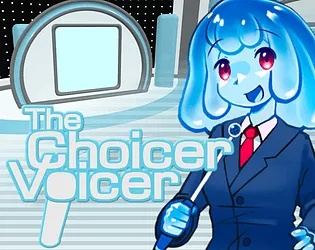
The Choicer Voicer is a voice impersonation party game where your voice takes center stage. Inspired by classic party games, players perform vocal impressions in various fun game show formats. The game features customizable content packs including voice packs, menu themes, judge panels, studios, hosts, and contestants. Play solo, with up to 4 local players, or integrate with Twitch for chat-based voting. The Dub Mode lets you create voiceovers of your favorite scenes. Currently in early access alpha, The Choicer Voicer was built using Godot Engine, Blender, GIMP, Audacity, and FL Studio by developer YeahMaybe.
How to Play The Choicer Voicer
Choose Your Game Mode
- Select from various game modes including the main game show format for 14 local players, Twitch integration mode for streamers, or Dub Mode for creative voiceovers.
- Each mode offers a different experience compete for judge votes, let your Twitch chat decide, or dub over scenes with your best impressions.
- Custom content packs can be loaded by dropping audio files into the designated folder, making it easy to create personalized gameplay.
Perform Vocal Impressions
- Use your microphone to perform vocal impressions during each round.
- The judges or audience votes on your performance based on accuracy, creativity, and entertainment value.
- Focus on tone, pitch, and delivery to nail your impressions.
- Practice different voices and characters to expand your repertoire.
- The game supports various content packs, so you can work with niche memes, obscure quotes, or classic character voices depending on your loaded packs.
Customize Your Experience
- The Customize menu lets you swap aesthetics, studio backgrounds, judge panels, hosts, and contestants.
- Content packs extend this further create voice packs by dropping audio files into a folder, or download packs made by the community.
- Configure your microphone settings before starting to ensure clear audio input.
- The game is designed to be flexible and communitydriven, allowing you to tailor every aspect of your gameplay session.
Game Features of The Choicer Voicer
Vocal Impressions Gameplay
Perform voice impersonations in exciting game show formats. Multiple rounds challenge you to nail different characters, celebrities, or custom content from your packs. Computer judges evaluate performances based on entertainment value and accuracy. Compete against friends or AI judges in this unique blend of party game and talent showcase. The core gameplay loop keeps sessions fresh and entertaining.
Content Pack System
The Choicer Voicer features a robust content pack system that extends gameplay indefinitely. Create voice packs by simply dropping audio files into a folder - no coding required. Download community-made packs featuring niche memes, obscure quotes, or popular characters. Customize menu aesthetics, studio environments, judge panels, hosts, and contestants. The community-driven approach means there's always new content to explore and share.
Multiplayer & Streaming Modes
Local multiplayer supports 1-4 players on the same device with computer judges voting on performances. For streamers, the Twitch integration mode lets your chat vote on your vocal impressions in real-time. A special content pack type allows viewers to submit their own voices for the show. Dub Mode enables creative voiceover work over favorite scenes, making it perfect for content creation and entertainment.
Customizable Studio Experience
The Customize menu offers extensive options to personalize your game show experience. Swap menu aesthetics, change the studio environment, select different judge panels, choose various hosts, and pick contestants. Every visual element can be tailored to match your preferences or event theme. This flexibility makes The Choicer Voicer suitable for casual hangouts, parties, or streaming content.
Tips & Tricks for The Choicer Voicer
Microphone Setup
Before playing, ensure your microphone is properly configured. Test it in the free No Gameplay Demo first. If you experience recording issues, try switching from surround sound to stereo audio in your system settings. This known bug affects some users due to Godot Engine limitations. Keep your mic at a consistent distance and avoid background noise for best results.
Use headphones to prevent audio feedback when playing with speakers.
Impression Techniques
Focus on key characteristics of the voice you're imitating - pitch, tone, cadence, and distinctive mannerisms. Practice regularly to expand your range. Watch videos of the original speakers to catch subtle nuances. Start with easier targets like cartoon characters or famous personalities before attempting more challenging impressions.
Record yourself practicing and compare it to the original to identify areas for improvement.
Content Pack Creation
Create effective voice packs by organizing audio files clearly. Name files descriptively so prompts make sense during gameplay. Test packs with friends before sharing publicly. For best results, use clear, high-quality audio clips. Community packs can be found online and offer diverse content ranging from memes to movies.
Start with small packs of 10-20 clips before attempting larger collections.
Frequently Asked Questions
Select a game mode and round, then use your microphone to perform your best impression of the prompt given. The judges or audience votes on your performance based on accuracy, entertainment value, and creativity. Ensure your microphone is properly configured in your system settings before starting. Practice different voices beforehand to expand your repertoire.
Currently, The Choicer Voicer is only available for Windows and Linux. It is not designed for macOS or Chromebook. The browser version on Scritchy Scratchy allows instant play without downloading, making it accessible on any desktop device running a compatible browser. Mobile support is not currently planned.
Creating voice packs is simple - just drop audio files into the designated folder in your game directory. No coding or technical skills required. For menu, judges, studio, host, and contestant packs, explore the Customize menu or download community-created packs online. The barebones website includes guides on creating content packs for you and your friends.
There is a known bug where certain audio setups prevent the game from recording audio. This is related to surround-sound audio configurations and is an issue with the Godot Engine itself. Try switching to stereo audio in your system settings, or test your microphone in the free No Gameplay Demo first to ensure it works before purchasing. The developer is working on fixes for this issue.
Most game modes currently support singleplayer and simple local multiplayer for up to four players at once on the same device. Computer judges vote on performances in multiplayer mode. Online multiplayer does not exist at this time due to the complexity of implementation, especially regarding privacy and security concerns.
Yes! There are modes dedicated for Twitch streamers that read commands from your chat and let viewers vote on your vocal impression performances. A special content pack type even allows viewers to submit their own voices to be part of the show. This creates engaging, interactive streaming content that involves your audience directly.
Dub Mode lets you do voiceovers of your favorite scenes. Load a video or audio clip and record your own voice interpretation over it. This creative mode is perfect for making parody content, practicing impressions, or just having fun dubbing famous movie scenes. It's one of the standout features that has helped the game gain popularity.
The Choicer Voicer was created by YeahMaybe using Godot Engine. Additional tools include Blender, GIMP, Audacity, and FL Studio. The game is inspired by classic party games and focuses on vocal entertainment. YeahMaybe has been developing the game for over two years, with recent updates improving stability and adding new features.
The Choicer Voicer is available for purchase at $5.00 USD or more on itch.io. A free No Gameplay Demo is available that lets you test your microphone compatibility before buying. The Scritchy Scratchy version allows browser-based play without downloading the full game. No in-app purchases or premium tiers exist.
The game requires Windows or Linux operating system. A working microphone is essential for gameplay. For the best experience, use stereo audio configuration rather than surround sound, as some audio setups may cause issues with microphone recording. The game is relatively lightweight and should run on most modern systems.
Why Play The Choicer Voicer?
Unique Vocal Fun
Stand out from typical party games with this voice-focused experience. Use your actual voice to perform impressions, making every session unique and personal. Great for showing off your vocal talents or just having laughs with friends.
Party Entertainment
Perfect for game nights, parties, or casual hangouts with up to 4 local players. The game show format creates natural competition and hilarious moments. No complex rules - just pick up and play impressions.
Streaming Ready
Twitch integration lets your audience participate by voting on performances. Content packs can include viewer voices for even more community engagement. Great for entertaining streams.
Endless Content
The content pack system means gameplay never gets stale. Create your own voice packs or download community content. From memes to movies, if it has audio, it can become a pack.
Surf Online is a multiplayer browser surf game available on Scritchy Scratchy. Like The Choicer Voicer, it offers fun multiplayer gameplay for groups. Hold A or D to glide on ramps and beat records in CS-inspired maps.