
Featured Recommended Games




What Is Toon Tone?
Toon Tone is a color perception test disguised as a nostalgia game. Each round challenges you to recreate a specific color from memory using Hue, Saturation, and Brightness sliders. The game targets colors tied to characters you already recognize, making the memory task harder in an interesting way. You know the color exists somewhere in your head - the challenge is reconstructing it precisely.
How to Play Toon Tone
Toon Tone Score Tips
Lock Hue First
The eye detects color family before precision. Drag the hue slider until the tone feels right, then leave it and move on. Chasing exact hue while ignoring saturation and brightness is the most common mistake.
Start with hue, then adjust saturation and brightness separately.
Pull Back Saturation
Memory tends to amplify vividness. If your guess looks right but scores low, try reducing saturation. Cartoon colors are often punchy in context but surprisingly moderate when measured.
Most targets are less saturated than you think.
Brightness Decides Close vs Perfect
Hue and saturation usually get players into the right zone. Brightness is what separates a good score from a great one. Ask yourself: was the original closer to a shadow, a midtone, or a highlight?
Fine-tune brightness last for maximum points.
Use Hint Strategically
Each round gives you one brief glow revealing the real color. Don't use it immediately - commit to a guess first, then use the Hint to confirm whether you're too warm, too cool, too pale, or too dark.
Use hint as a direction check, not a copy tool.
Why Play Toon Tone
Sharpen Your Color Eye
Most people overcook saturation and undershoot brightness. A few rounds of Toon Tone's real-time feedback teaches you to read color in three dimensions - a skill that carries into design, illustration, and everyday visual decisions.
Surprisingly Competitive
Share your Toon Tone average score with friends. Replay for a cleaner run. The controls are simple enough to discuss but precise enough to argue about. Can you beat your personal best?
Zero Friction
No download. No account. No tutorial wall. Open Toon Tone, pick a mode, and play in under 30 seconds. Works on any screen - desktop, tablet, or mobile.
Color Memory Training
Easy mode's 3-second preview isn't a shortcut - it's a color memory drill. Compare what you remembered vs what you actually saw. That gap is where your color sense improves.
Toon Tone FAQ
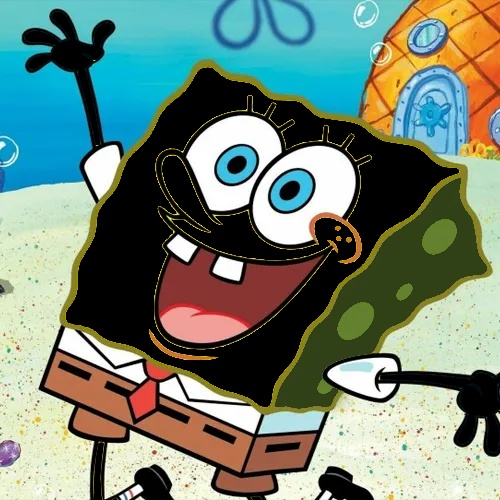
Toon Tone is a free browser-based color guessing game. Each round shows a cartoon character with one color region highlighted. Your goal is to recreate that exact color from memory using Hue, Saturation, and Brightness sliders. The closer your match, the higher your score - up to 10 points per round across 5 rounds. There is no daily cap: you can replay as many sessions as you want.
Yes, completely free. No download, no account, no sign-up required. Open the page and start playing immediately. It works on any modern browser on desktop, tablet, or mobile. Toon Tone has no paid tier, no ads between rounds, and no premium content - the full experience is available to every player on every visit.
In Normal mode, the target color is hidden from the start - you rely entirely on memory. In Easy mode, the real color is visible for 3 seconds before the sliders appear. Both modes use the same scoring formula and track your personal best separately.
Scoring uses a weighted HSB formula: Hue accounts for 50% of your score, Saturation and Brightness 25% each. The combined accuracy is then raised to an exponential power, which means near-perfect matches score dramatically higher than close enough.
Your personal best score is saved automatically in your browser's localStorage. No account needed - it persists between sessions as long as you don't clear your browser data. The game tracks Normal and Easy mode bests independently.
Regular play builds the habit of separating color into three independent dimensions - hue, saturation, and brightness - instead of treating it as one vague impression. Many designers, illustrators, and photographers find this kind of deliberate practice useful.
After each session, the final screen shows a Share button. On supported devices it opens your native share sheet. On others, it copies a score summary to your clipboard that you can paste anywhere.
Yes. The game is fully playable on phones and tablets. The sliders are touch-friendly and the layout adapts to smaller screens. No app install needed - just open the page in any mobile browser.
Each round includes one Hint - a brief glow that reveals the real color for a moment. It's intentionally short: enough to confirm whether your current guess is in the right direction, but not long enough to just copy the answer. You get one per round.
Each session runs five rounds. When the final score screen appears, a Play Again button lets you start a fresh set immediately - new questions, same format. Most sessions run under five minutes.
Toon Tone uses HSB - Hue, Saturation, Brightness - rather than RGB because HSB maps more directly to how people naturally think about color. When you judge a shade as too yellow or a bit washed out, you're reasoning in hue and saturation terms.
Toon Tone works for designers and illustrators as a calibration drill, casual players as a short daily game, and students and teachers as a hands-on color theory exercise. The rules are immediate and the feedback loop is tight.
Toon Tone Features
Weighted HSB Scoring
Scoring uses a weighted HSB formula: Hue counts for 50%, Saturation and Brightness 25% each. The combined accuracy is raised to an exponential power, meaning near-perfect matches score dramatically higher than close guesses.
Two Game Modes
Normal mode tests pure color memory with no preview. Easy mode shows the color for 3 seconds before sliders appear. Both modes track personal bests independently, so you can train in Easy and compete in Normal.
Sharpen Color Perception
Regular play builds the habit of separating color into three independent dimensions - hue, saturation, and brightness - instead of treating it as one vague impression. Designers, illustrators, and photographers find this deliberate practice particularly useful.
Local Storage Progress
Your personal best score is saved automatically in your browser's localStorage. No account needed - it persists between sessions as long as you don't clear your browser data. Compare your best scores across Normal and Easy modes.
A fun memory challenge where you identify who's hiding at the back. Test your visual memory skills with this entertaining game on Scritchy Scratchy.